
IPTV Service: How to Choose the Right Provider for American Viewers in 2026
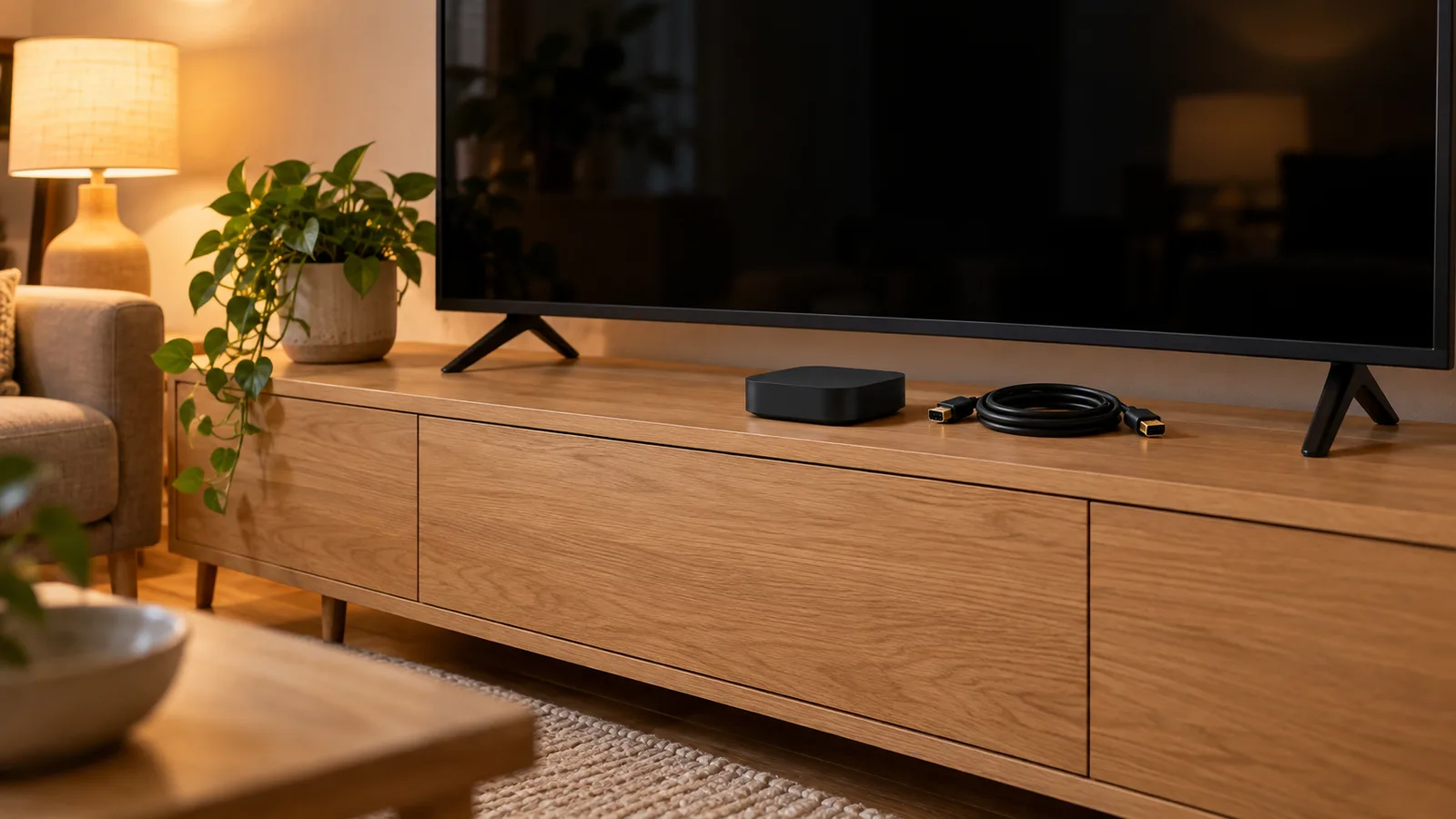
Choosing the right IPTV service means weighing channel count, reliability, device support, and price against traditional cable TV options.
The American television landscape has shifted dramatically over the past decade. Cable subscriptions have dropped by more than 50 million households since 2012, and viewers are actively searching for alternatives that deliver live TV without the contracts, hidden fees, and limited flexibility that defined the old model. IPTV (Internet Protocol Television) has emerged as one of the strongest contenders, delivering live channels, on-demand content, and electronic program guides over a standard internet connection.
But not every IPTV service is built the same. Some providers offer thousands of channels with rock-solid uptime, while others cut corners on server infrastructure and leave viewers buffering through the fourth quarter. This guide breaks down exactly what separates a premium IPTV service from a mediocre one, how IPTV stacks up against cable and satellite, and what legal factors every American viewer should understand before subscribing.
IPTV stands for Internet Protocol Television. Instead of receiving TV signals through a coaxial cable, satellite dish, or over-the-air antenna, an IPTV service delivers video content through your internet connection. The technology itself is not new. Major companies like AT&T (formerly U-verse) have used IPTV infrastructure for years, and streaming giants like Hulu + Live TV, YouTube TV, and Sling TV are technically IPTV services operating under licensed agreements with content providers.
At a technical level, IPTV works by encoding video streams and transmitting them as data packets through internet infrastructure. Your device (a smart TV, streaming box, phone, or tablet) decodes those packets and displays the content in real time. The experience feels identical to traditional TV, but the delivery mechanism is fundamentally different. There are three main types of IPTV content delivery: live television, which streams channels in real time just like cable or satellite; video on demand (VOD), which lets you browse a library of movies and TV shows and watch them whenever you want; and catch-up TV, which allows you to watch programs that already aired, typically within a window of 24 to 72 hours after the original broadcast.
The key advantage of IPTV over traditional delivery methods is flexibility. You are not locked into a set-top box from your cable company. You can watch on a Firestick, Android TV box, smart TV, iPhone, iPad, or even a web browser. A single IPTV subscription often covers multiple devices, letting different household members watch different channels at the same time.
What Makes a Quality IPTV Service Stand Apart
The difference between a top-tier IPTV service and a poor one comes down to a handful of measurable factors. Price is part of the equation, but it is far from the only thing that matters. Here is what to evaluate before committing your money.
Channel count and variety. A strong IPTV provider for American viewers should offer a wide selection of US channels covering sports (ESPN, Fox Sports, NBC Sports), news (CNN, MSNBC, Fox News), entertainment (AMC, TNT, USA Network), and local affiliates. Many providers also include international channels, which is a significant draw for multilingual households. The best services offer 8,000 to 20,000+ channels across multiple countries and categories. Channel count alone does not guarantee quality, but a provider with only a few hundred channels is likely cutting corners elsewhere too.
Electronic Program Guide (EPG). An EPG is the on-screen TV guide that shows you what is playing now and what is coming up next on each channel. A well-maintained EPG makes the difference between a professional viewing experience and a frustrating one. Look for providers that update their guide data daily and organize channels into logical categories (sports, movies, news, kids, and so on). Without a reliable EPG, finding what you want to watch becomes a guessing game.
Stream quality and server uptime. Buffering, freezing, and dropped connections are the most common complaints from IPTV users. These problems almost always trace back to the provider's server infrastructure. Premium services invest in redundant servers, load balancing, and content delivery networks that keep streams stable even during peak hours. Ask any potential provider about their uptime guarantee. Anything below 99% reliability during prime time is a warning sign. The best providers maintain multiple server clusters so that if one node goes down, traffic reroutes automatically without the viewer noticing.
Multi-device support. Your IPTV service should work on the devices you already own. The standard expectation in 2026 is compatibility with Amazon Fire TV Stick, Android TV, Apple TV, iOS, Android phones and tablets, MAG boxes, smart TVs (Samsung, LG, Sony), and web browsers. A provider that only supports one or two platforms is limiting your flexibility and likely has not invested in a proper app ecosystem.
Simultaneous connections. Most households have more than one person who wants to watch TV at the same time. Check how many simultaneous connections your subscription includes. Some providers allow only one stream at a time, while others permit two, three, or even four concurrent connections on a single account. If you have a family, this matters.
Customer support responsiveness. When your streams go down during the Super Bowl, you need a provider who answers support requests within minutes, not days. The quality of a provider's customer support reveals a lot about how seriously they take their service. Look for 24/7 live chat or rapid-response support channels. Providers who only offer email with 48-hour response times are not treating their customers as a priority.
Trial periods and refund policies. Reputable IPTV services typically offer a trial period or a short-term plan so you can test the service before committing to a longer subscription. This is a strong signal of confidence in their product. If a provider refuses to let you test the service at all, treat that as a red flag.
Cendovera checks each of these boxes. With a broad US and international channel lineup, a clean EPG updated daily, multi-device compatibility, and responsive customer support, it is built for viewers who want reliability without overpaying. You can explore the full subscription options here to see what plan fits your household.
IPTV Services vs Cable and Satellite: A Direct Comparison
To understand why millions of Americans are switching to IPTV, it helps to compare the experience directly against the alternatives they are leaving behind.
Cost. The average American cable TV bill reached approximately $120 per month in 2025, according to data from Leichtman Research Group. That figure often climbs higher once regional sports fees, broadcast surcharges, DVR rental fees, and equipment costs are factored in. Satellite services like DirecTV (now DirecTV Stream) and Dish Network sit in a similar range. Licensed live TV streaming services offer lower entry points: YouTube TV costs $73/month, Hulu + Live TV runs $83/month, and Sling TV starts at $40/month for its Orange or Blue package. IPTV services, particularly those operating outside the traditional licensing model, typically cost between $10 and $25 per month for a full channel package. The price difference is the single biggest driver of IPTV adoption in the United States.
Contracts and commitment. Cable and satellite companies have historically relied on 12- to 24-month contracts, often with early termination fees that can reach $200 or more. Most IPTV services operate on a month-to-month basis with no long-term commitment required. You pay for one month, three months, six months, or a year, and you can stop at any time without penalty. This flexibility is one of the strongest selling points for cord-cutters who felt trapped by their previous provider.
Channel selection. Cable and satellite packages are structured in tiers. You might pay $80/month for a basic package and then $40 more to add a sports tier, $15 for a movie tier, and so on. The bundling model forces you to pay for channels you will never watch. IPTV services generally include their full channel lineup in every plan. You get access to everything from day one, and the only variable is the subscription length and number of connections.
Equipment. Cable requires a set-top box (often rented for $10-$15/month per TV). Satellite requires a dish installation. IPTV requires only a device you likely already own and an internet connection. A $30 Amazon Fire TV Stick is enough to run any major IPTV app at full HD or 4K quality. There is no truck roll, no installation appointment, and no rental fee.
Flexibility and portability. Cable works in your house. Satellite works where the dish is pointed. IPTV works anywhere you have an internet connection. You can watch on your hotel room TV using a portable Fire Stick, stream on your phone during a commute, or cast to a friend's TV during a watch party. This portability is something legacy TV providers cannot match.
For American viewers who are tired of rising cable bills and rigid contracts, an IPTV service designed for the US market offers a practical and affordable alternative. The technology has matured to the point where picture quality, channel variety, and reliability can rival or exceed what cable delivers.
Legal Considerations for IPTV Services in the United States
One of the most common questions American viewers ask before subscribing to an IPTV service is whether it is legal (which depends on the provider), which depends on the provider. The answer depends entirely on the specific provider and how they source their content.
Licensed IPTV services operate under agreements with content owners and distributors. YouTube TV, Hulu + Live TV, Sling TV, FuboTV, and DirecTV Stream are all examples of fully licensed IPTV services. They pay carriage fees to networks, comply with FCC regulations, and are legal to use without any ambiguity.
Third-party IPTV providers occupy a more complex space. Many IPTV services marketed to American consumers source their streams from server networks that may or may not have proper licensing for every channel they carry. The legal risk in the United States falls primarily on the providers and distributors of unlicensed content, not on individual viewers. However, the legal landscape continues to evolve as content owners pursue enforcement actions more aggressively.
In 2024 and 2025, several high-profile enforcement actions targeted IPTV resellers and distributors in the US and UK. The Alliance for Creativity and Entertainment (ACE), a coalition backed by major studios and streaming platforms, shut down multiple large-scale IPTV operations. These actions focused on operators who profited from distributing copyrighted content without authorization.
What does this mean for you as a viewer? A few practical guidelines:
Choose providers who have a clear business presence, professional customer support, and transparent terms of service. Providers who hide behind anonymous websites, accept only cryptocurrency, and have no visible customer service infrastructure are more likely to disappear overnight or face legal action.
Understand that price alone does not determine legality. A $15/month IPTV service is not automatically illegal, just as a $75/month service is not automatically legitimate. What matters is the provider's content sourcing and business practices.
Use a VPN if privacy is a concern. While a VPN does not change the legal status of any content you watch, it does add a layer of privacy to your internet activity, which many IPTV users prefer regardless of the provider they choose.
Cendovera operates as a premium IPTV provider with dedicated customer support, a professional platform, and clear subscription terms. The focus is on delivering a reliable service that American viewers can trust for their daily television needs.
Choosing the Right IPTV Plan for Your Household
Selecting an IPTV plan is not a one-size-fits-all decision. Your ideal plan depends on how many people in your household watch TV, what devices you use, and how long you want to commit. Here is a framework for making the right choice.
Single viewers or couples typically need one or two simultaneous connections. A basic plan with a single connection is the most affordable option, but upgrading to two connections provides flexibility for nights when one person wants to watch a game and the other wants to catch a movie.
Families with three or more viewers should look at plans that support at least two to four simultaneous connections. If you have kids who watch cartoons on a tablet while you stream sports in the living room and someone else watches a show in the bedroom, a single-connection plan will cause friction fast.
Subscription length affects your per-month cost. Most IPTV providers offer significant discounts for longer commitments. A monthly plan might cost $20, while a 12-month plan might bring that down to $10 per month. If you have tested the service during a trial period and you are satisfied with the reliability, locking in a longer plan saves real money over the course of a year.
Device compatibility should be confirmed before you subscribe. Make a list of every device in your household that someone might use to watch TV: smart TVs, Fire Sticks, Android boxes, phones, tablets, and computers. Verify that the provider's app or player supports each one. This avoids the frustration of subscribing and then discovering that your primary viewing device is not supported.
Internet speed requirements. IPTV is only as good as your internet connection. For standard definition (SD) content, you need about 3-5 Mbps per stream. For full HD (1080p), plan for 10-15 Mbps per stream. For 4K content, you will want at least 25 Mbps per stream. If multiple people in your household are streaming simultaneously, add those numbers together. A family of four streaming HD content at the same time needs roughly 40-60 Mbps dedicated to IPTV alone, before accounting for other internet usage like gaming, video calls, or file downloads. The average US household internet speed exceeds 200 Mbps as of 2026, so most American homes have more than enough bandwidth.
Take a look at the IPTV subscription guide for a detailed breakdown of plan types, pricing tiers, and what each tier includes. Matching the right plan to your household's actual viewing habits is the simplest way to avoid overpaying or under-serving your needs.
Frequently Asked Questions About IPTV Services
How many channels can I expect from a quality IPTV service?
A reputable IPTV provider serving American viewers typically offers between 8,000 and 20,000+ live channels. This includes major US networks, sports channels (ESPN, Fox Sports, regional sports networks), news, entertainment, and a wide range of international channels. The exact count varies by provider, but any service offering fewer than a few thousand channels is likely operating with limited server infrastructure. Cendovera's lineup covers a broad spread of US and international content designed for viewers who want variety without paying cable prices.
What equipment do I need to use an IPTV service?
You do not need any specialized equipment. Most IPTV services work on devices you already own: Amazon Fire TV Stick, Android TV boxes, smart TVs from Samsung or LG, Apple TV, iPhones, iPads, Android phones and tablets, and desktop or laptop computers through a web browser. The most popular setup among US users is a Fire TV Stick 4K connected to a television, which costs around $30-$50 and provides a smooth, high-quality viewing experience. No cable box, satellite dish, or professional installation is required.
Is it legal to use an IPTV service in the United States?
The legality of an IPTV service depends on how the provider sources its content. Licensed services like YouTube TV, Hulu + Live TV, and Sling TV are fully legal. Third-party IPTV providers exist in a more nuanced legal area. In the US, enforcement actions have historically targeted the operators and distributors of unlicensed streams rather than individual viewers. Regardless of which service you choose, selecting a provider with professional operations, transparent terms, and reliable customer support is the safest approach.
What internet speed do I need for reliable IPTV streaming?
For a single HD stream, you need approximately 10-15 Mbps. For 4K content, plan for at least 25 Mbps per stream. If multiple people in your household stream at the same time, multiply accordingly. A household running three HD streams simultaneously needs roughly 30-45 Mbps dedicated to IPTV. Most US internet plans in 2026 deliver speeds well above this threshold, but it is worth running a speed test at your typical viewing time to confirm your actual bandwidth during peak hours.
Can I watch IPTV on multiple devices at the same time?
Yes, but it depends on your subscription plan. Most IPTV providers offer plans with different connection limits. A basic plan may allow one simultaneous stream, while premium plans support two, three, or four concurrent connections. If you have a multi-person household, choosing a plan with at least two connections prevents conflicts over who gets to watch what. Check your provider's plan details before subscribing to make sure the connection count matches your household's needs.
How does IPTV compare to YouTube TV or Hulu + Live TV on price?
Licensed live TV streaming services in the US charge between $40 and $83 per month as of 2026. YouTube TV is $73/month, Hulu + Live TV is $83/month, and Sling TV starts at $40/month. Third-party IPTV services typically range from $10 to $25 per month for a comparable or larger channel selection. The trade-off is that licensed services come with guaranteed content rights and integration with major platforms, while third-party IPTV services compete primarily on price, channel count, and international content. Your choice depends on which factors matter most to you. Explore IPTV options for American viewers for a closer comparison.
Prefer to ask first? Chat on WhatsApp
24-hour trial
Check the service on your own device first.
7-day money-back guarantee
Seven days to ask for your money back.
24/7 support
Setup and viewing help, day or night.
No minimum term, no hidden fees
No minimum term, and nothing added later.
Common questions
What do I need before I start?
A device you already own and a steady internet connection. What we supply is the subscription and a written setup guide.
Is there a trial?
Yes. A 24-hour trial is available, so you can check the service on your own device first.
Can I get my money back?
A 7-day money-back guarantee applies.
Is there a minimum term?
No. There is no minimum term and there are no hidden fees.
Do I need a VPN?
No. A VPN is not required. You may use one if you prefer.
What happens after I send an inquiry?
We reply with the plan that fits and the setup steps for your device. The form is an inquiry, not an order, and nothing is charged on this site.
How it works
- 1
Choose a plan
Pick how long you want and how many devices watch at once.
- 2
Tell us how to reach you
Leave your details and we reply with setup instructions.
- 3
Start watching
Set it up on the device you already own using our guide.
Stated plainly
How the price is set
The length and the number of devices set the price. It is shown before you inquire, and nothing is charged on this site.
If you need help
Support is reachable around the clock. Setup questions are answered with a written guide for your device.
Trial and refund
A 24-hour trial is available, and a 7-day money-back guarantee applies.
Check before you commit
Check that your device is supported and your connection is steady. A VPN is not required; you may use one if you prefer.

Ready to see the plans?
Tell us which device you watch on and how many devices you want to use at once. We reply with the plan that fits and the setup steps. It is an inquiry, not an order.
- 24-hour trial
- 7-day money-back guarantee
- No minimum term, no hidden fees
- 24/7 support